The workbench · free build, work shown
How to spin up a full brand with AI in minutes.
Describe the business, get colors, fonts, three logos, and a live editable page back in minutes.
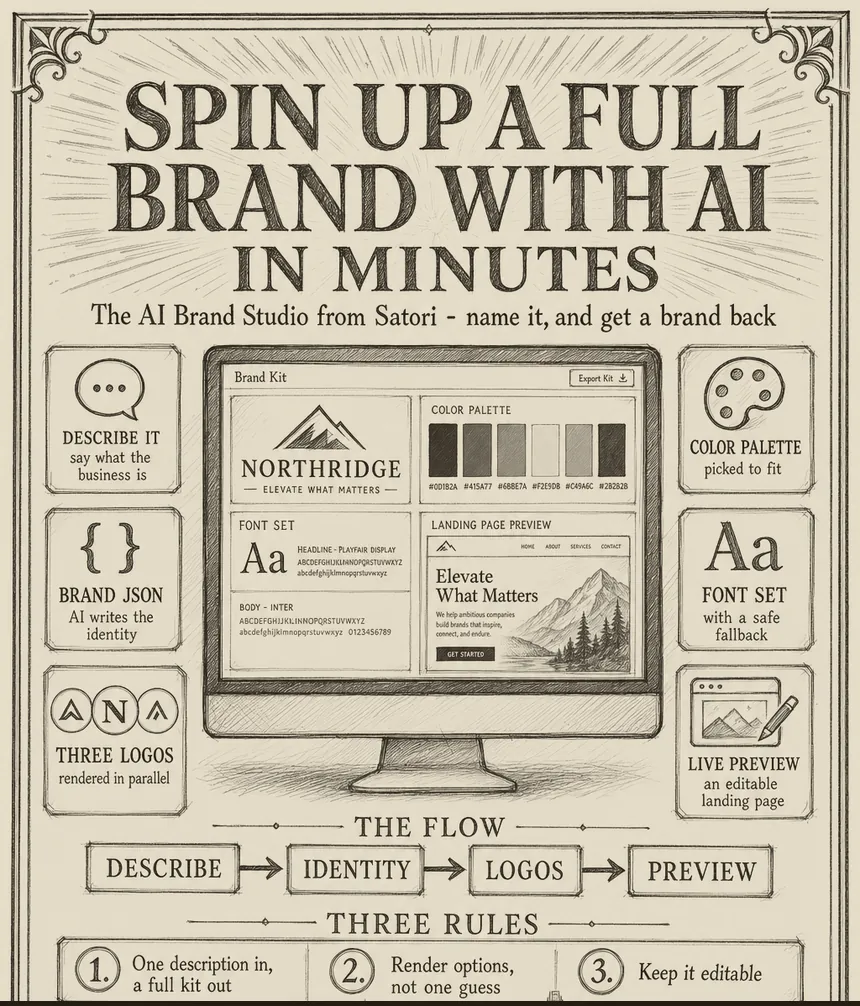
Naming and branding a business used to mean weeks and a designer’s invoice. I built a studio where you describe the business and get a full brand back in minutes: a name direction, colors, fonts, three logo options, and a live landing page you can edit. Here is how it works.
Six parts, and the magic is that it renders options, not one lucky guess.
- Describe it in plain words. You type what the business is and who it is for. That is the only input.
- Let AI write the identity. The AI writes a full brand identity as structured data: the personality, the palette, the fonts, the voice, so the rest of the system can use it.
- Render three logos in parallel. From that identity, the AI writes three logo prompts and an image model renders all three at once, so you choose between real options in seconds.
- Pick a palette that fits. Colors are chosen to match the personality, not pulled at random, and they carry through the whole preview.
- Use fonts with a safe fallback. Font choices come from a known-good list, with a fallback if the AI reaches for one that does not exist, so nothing ever breaks.
- Preview it live and editable. It all lands on a real landing-page preview you can edit, so you react to something real, not a description.
Any new venture, product line, or rebrand can start here instead of a blank page. Get to something real in minutes, then refine. The six parts above are the full studio, start there.
From an internal command-center build. Everything described here is something I actually run; nothing on this bench is theoretical.